Edit text, right on the page.
Change supported PDF text, or add new text in your chosen font, size and colour. Move and resize text to fit.
Existing text editing depends on the PDF and its fonts.
YOUR EVERYDAY WINDOWS PDF EDITOR
Edit the text. Add the signature. Get the pages in order. Meet the PDF editor that keeps up with your working day.
Windows 10 / 11 · Works offline · No PDFcoza account
✓ Free to download
✓ Your files stay on your PC
✓ Client details, ready to reuse
✓ Available on Microsoft Store
GET STRAIGHT TO THE DOCUMENT
From a quick correction to a complete document pack, get everyday PDF work off your list.
Change supported PDF text, or add new text in your chosen font, size and colour. Move and resize text to fit.
Existing text editing depends on the PDF and its fonts.
Draw, type or import visual signatures and initials. Save them for next time, then position and resize them on your document.
Merge, split, rotate and rearrange pages. Copy pages between open PDFs using drag and drop.
THE DETAILS YOU SHOULDN’T TYPE TWICE
Save multiple people’s details, signatures and initials in their own profiles. Enter them once. Reuse them on the next form, contract or application.
Fictional profiles for this website preview. Your real details stay in the desktop app.
A LITTLE MORE ROOM TO WORK
Keep documents in separate tabs, or drag a tab into its own window for your second screen. Each PDF keeps its own edits and undo history.
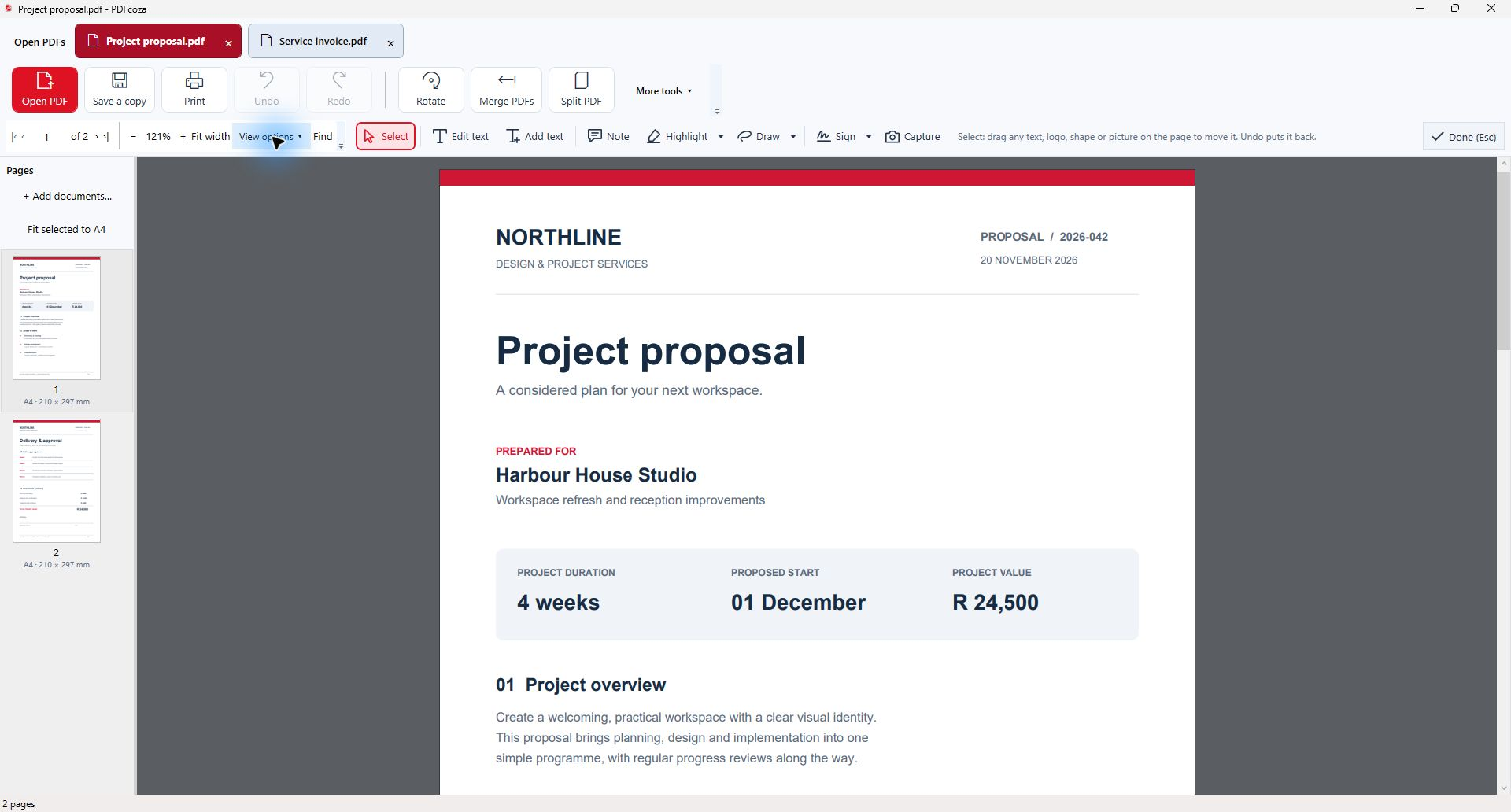
Keep the documents you’re working on open together.
Add notes, highlights and drawings to make your point.
Choose Compress PDF, compare the sizes and save a smaller copy. Stronger compression makes pages image-based.
Choose pages, sizing, orientation and copies before printing.
YOUR DESKTOP. YOUR DOCUMENTS.
PDFcoza processes your documents on your Windows PC. No PDFcoza account to create. Your PDFs, saved people and signatures aren’t uploaded to WK Solutions by the app.
Read our privacy policyPDFcoza is currently free on the Microsoft Store. Download it and get started without a PDFcoza account.
The current release is for Windows 10 and Windows 11 on x64 PCs. Check the Microsoft Store listing for the full system requirements. Mac and mobile versions are not currently available.
You can edit supported existing PDF text and add new text. Existing text editing depends on the document’s fonts and construction. Text in a scanned image cannot be edited as ordinary text; PDFcoza does not currently include OCR.
Yes. Save separate people with their names, company details, designations and custom fields. Link a saved signature and initials to each profile, then place their details onto a PDF. Always have permission to use another person’s details or signature.
No. Your saved library is stored locally and protected for your Windows user. It is not included in the Microsoft Store download. New users start with an empty library. Signature images you place in a PDF become part of that document and are shared if you share the PDF.
The Sign tool places visual signatures and initials. It does not issue or validate certificate-based digital signatures. Editing an already signed PDF invalidates its certificate signatures in the edited copy; keep the original.
Open a PDF, choose More tools, then Compress PDF. Compare the original and resulting sizes before saving a new copy. Stronger compression creates image-based pages, which lose searchable and editable text. Your original file stays unchanged.
YOUR NEXT DOCUMENT IS WAITING
Download free. Open a PDF. Get things done.
Download free fromMicrosoft StoreFor Windows 10 and 11 · No PDFcoza account required